
 Ace Hardware card on your phone
Save your Ace Hardware loyalty card in Kardpal: scan it once and show it from your phone at checkout, even without internet.
Opens in your browser: no download, no sign-up. You can then add it to your Home screen.
About Ace Hardware
A group of hardware store owners founded Ace in Chicago in 1924. In the 1970s it was sold to its retailers, and today the local stores own the company, which is based in Oak Brook, Illinois. There are more than 5,000 Ace stores worldwide, and most are small neighborhood shops in the US. Its loyalty program is Ace Rewards.
Source: Wikipedia
Where the Ace Hardware stores are
In the US Ace Hardware has 2,801 stores, in 51 of 51 states (we count Washington, D.C. as one). The state with the most stores is California (254), followed by Florida (153).
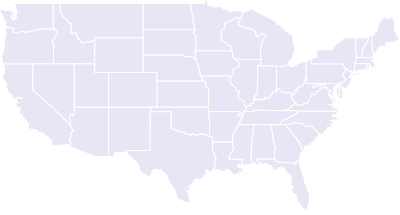
Ace Hardware stores by state
| State | Stores |
|---|---|
| California | 254 |
| Florida | 153 |
| Illinois | 144 |
| Michigan | 141 |
| Texas | 136 |
| Washington | 113 |
| Arizona | 107 |
| New York | 96 |
| Georgia | 95 |
| Ohio | 83 |
| Wisconsin | 83 |
| Colorado | 81 |
| Minnesota | 81 |
| Pennsylvania | 80 |
| North Carolina | 75 |
| Oregon | 69 |
| Indiana | 67 |
| Virginia | 62 |
| Tennessee | 60 |
| Utah | 57 |
| Massachusetts | 56 |
| Missouri | 48 |
| South Carolina | 45 |
| Alabama | 40 |
| Maryland | 40 |
| Iowa | 39 |
| Montana | 39 |
| Idaho | 37 |
| Kansas | 31 |
| South Dakota | 31 |
| Nebraska | 29 |
| Kentucky | 28 |
| Nevada | 26 |
| Oklahoma | 25 |
| New Mexico | 23 |
| Arkansas | 22 |
| New Jersey | 22 |
| Connecticut | 21 |
| Wyoming | 20 |
| New Hampshire | 16 |
| Vermont | 16 |
| Maine | 15 |
| Mississippi | 15 |
| West Virginia | 15 |
| Hawaii | 13 |
| Louisiana | 13 |
| Alaska | 8 |
| District of Columbia | 8 |
| North Dakota | 8 |
| Delaware | 7 |
| Rhode Island | 6 |
How to add your Ace Hardware card
- Open Kardpal and tap the + button at the bottom.
- Scan the code on the back of your Ace Hardware card with the camera, or upload a photo or screenshot of the barcode in the Ace Hardware app.
- Name it: type "Ace Hardware" and Kardpal suggests the store and a color. Save and you're done.
Why keep your Ace Hardware card in Kardpal
- You'll never leave the card at home again: it's always on your phone.
- It opens instantly even with no signal, for example in the back of a big store.
- With Premium, save the store location and the card is on top when you go back.
- With Premium Family you can share it with your family, so everyone collects points on the same card.
Frequently asked questions
Is Kardpal the official Ace Hardware app?
No. Kardpal is an independent app that keeps your Ace Hardware card number and shows it at checkout. For your points balance, coupons and rewards, use Ace Hardware's own app or website.
Can I give my phone number instead?
Many US stores also look you up by phone number at checkout. If your card or the Ace Hardware app has a barcode, you can save it in Kardpal and have it scanned instead of typing the number.
Can the Ace Hardware register scan my card from my phone?
Usually yes: Kardpal shows the same code as the card, large and on a white background. If the scanner struggles, turn the brightness up. The number is shown under the code too, so the cashier can type it.
Do I need internet to use my Ace Hardware card?
No. Once saved, the card stays on your phone and opens offline.
Ace Hardware is a trademark of its respective owner. Kardpal is not affiliated with or endorsed by Ace Hardware.